Program Challenge
Turn fitness courses into
a session-by-session challenge
Participants follow structured exercise sessions at their own pace to complete the full course. Before-and-after performance records let them see exactly how far they've come.
- 1 Your organization's challenge
- →2 Join
- →3 Per-session workouts
- →4 Course complete
Example Programs
Featured Case Studies
a public health center in Korea
Slow Running Program
24 Sessions
Participants 807
a public health center in Korea
Slow Running Program
- Participants
- 807
- Period
- Sep 1 – Nov 30, 2026
- Course
- 24 Sessions
- Prize Draw
- 200 Winners
- 1Tap "Start Program" and go session by session
Three sessions per week is recommended. Participants can do 1 session a day, up to 4 per week.
- 224 sessions completed over 3 months
A slow-running course designed for beginners — distances increase gradually at a comfortable pace.
- 3Prize draw for 200 finishers + post-program survey
A mobile coupon (KRW 10,000) is raffled among finishers, and a closing survey captures program outcomes.
Tap the poster to open the live challenge screen.
How It Works
Course Structure
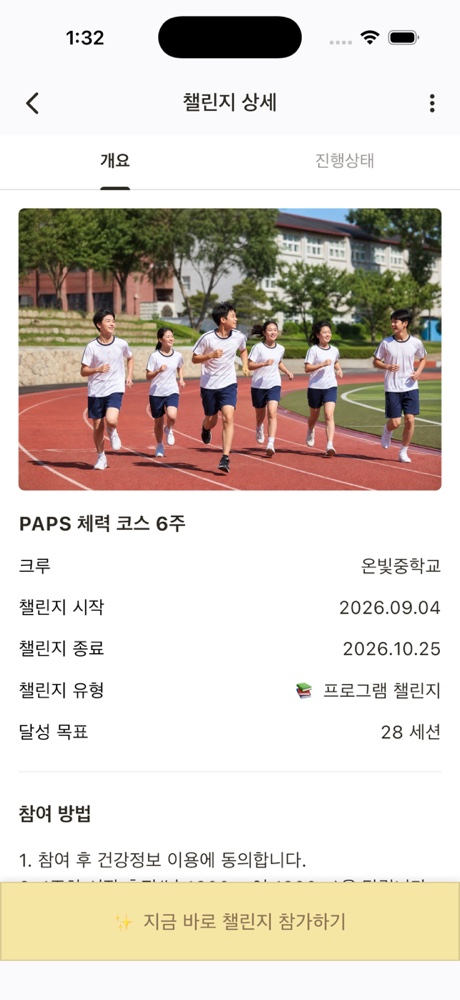
Complete each scheduled session and the course is done. Participants can compare their before-and-after records side by side.
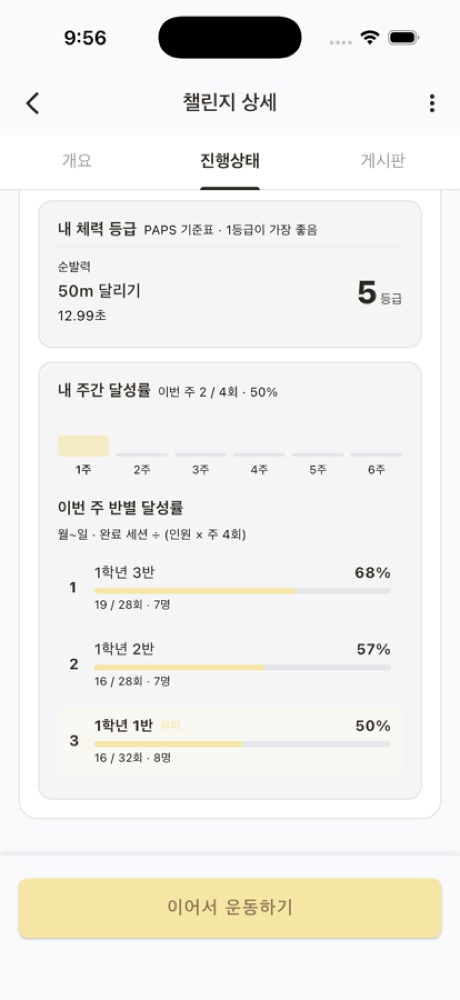
Weekly Sessions
Each week has a set of sessions to complete; finished sessions stack up week by week.
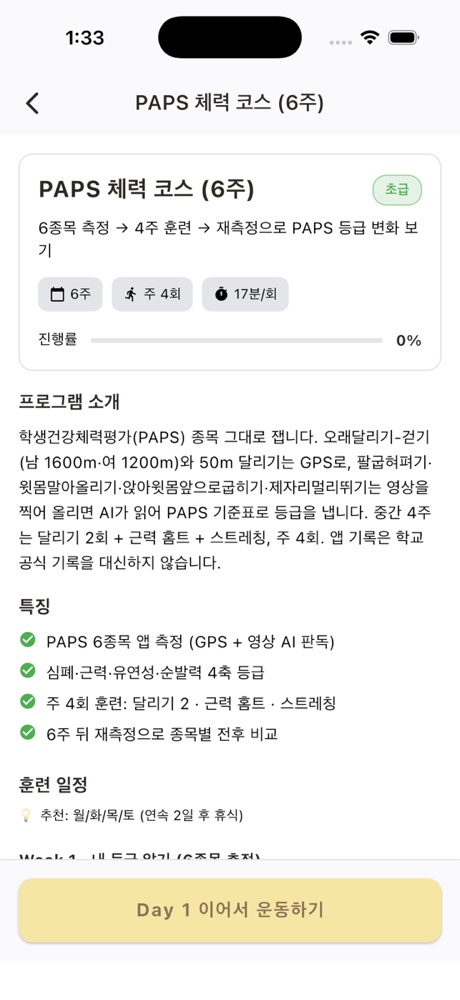
Today's Session
View the day's running and walking segments and follow the plan.
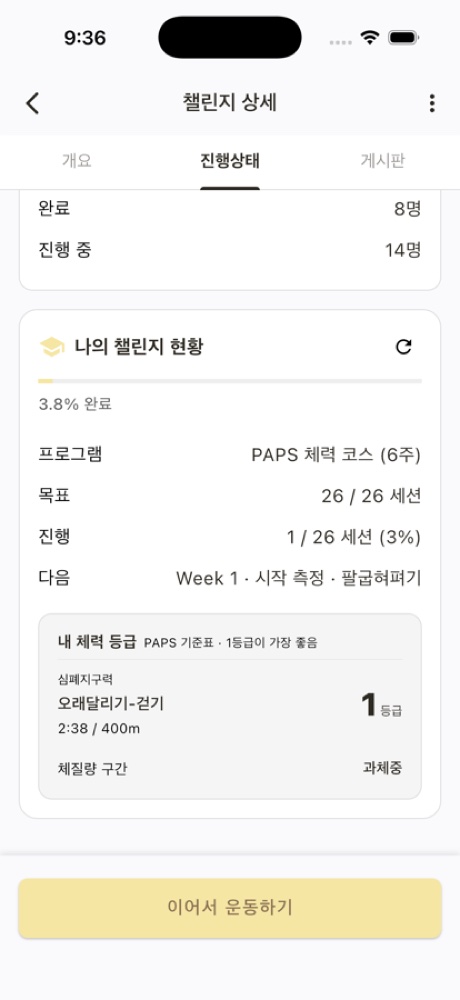
Before & After Comparison
Start-of-program and end-of-program records are displayed side by side.
Participants
Participant Screens
Participants check and complete this week's sessions directly in the AllRunner app.
Prizes & Draws
Prize Draw
Choose a draw method for each prize. The organizer prepares the prizes and quantities.
Method 1
Random Draw for Finishers
Pick winners from participants who completed the required sessions — with a single button.
e.g. 200 winners drawn from 24-session slow-run finishers
Method 2
First-Come, First-Served
Rewards go to finishers in order of completion, up to the available quantity.
Ideal for shorter courses
Method 3
Post-Program Survey Included
A mandatory closing survey captures participant feedback and program outcomes for your report.
e.g. post-program survey for a slow-running challenge
Organizers
Organizer Dashboard
Choose a course, set the dates, prizes, and survey — then launch.
- ✓Course, required session count, and program dates
- ✓Pre- and post-program surveys (optional or mandatory)
- ✓Winner draw, in-app announcement, and SMS notification
- ✓Participation and completion tracking, plus results report
Use Cases
Use Cases by Organization Type
Beginner Running Program
A 3-month course designed for first-time runners, building distance gradually.
e.g. 807 participants in a Korean public health center slow-run program
Employee Fitness Course
Run as a corporate wellness program and compare fitness levels before and after.
e.g. Department-level participation
School Fitness Course
Spread sessions across a semester and track fitness changes over time.
e.g. Semester-based operation
Case Studies
Program Challenge Case Studies
Real program challenges delivered by public health organizations using AllRunner.
a public health center in Korea
Slow Running Program
807 participants
a public health center in Korea
Slow Running Program
807 participantsParticipants
Sep – Nov 2026 · 24 sessions over 3 months
View Challenge ›Participant figures reflect actual AllRunner challenge records (retrieved November 2026).
Onboarding Process
Onboarding Steps
Hyperity guides you through the initial setup.
- 1Consultation
We learn about your audience, timeline, budget, and prizes, then recommend the right format.
- 2Challenge Setup
Together we define goals, completion criteria, prizes, and participant-facing content.
- 3Promotion
Participants can join instantly by scanning the poster QR code, and the challenge is surfaced automatically in the app.
- 4Live Operations
Monitor participation and achievement in real time. We help with announcements and participant support.
- 5Draw & Report
Pick winners with one click and receive a full results report.
Hyperity
Samsung Electronics C-Lab Spin-off (2017)
We build and operate AllRunner in partnership with local governments and public health organizations.
7 live deployments · 5 pilot programs
Deployed across 7 Korean local governments
More Features
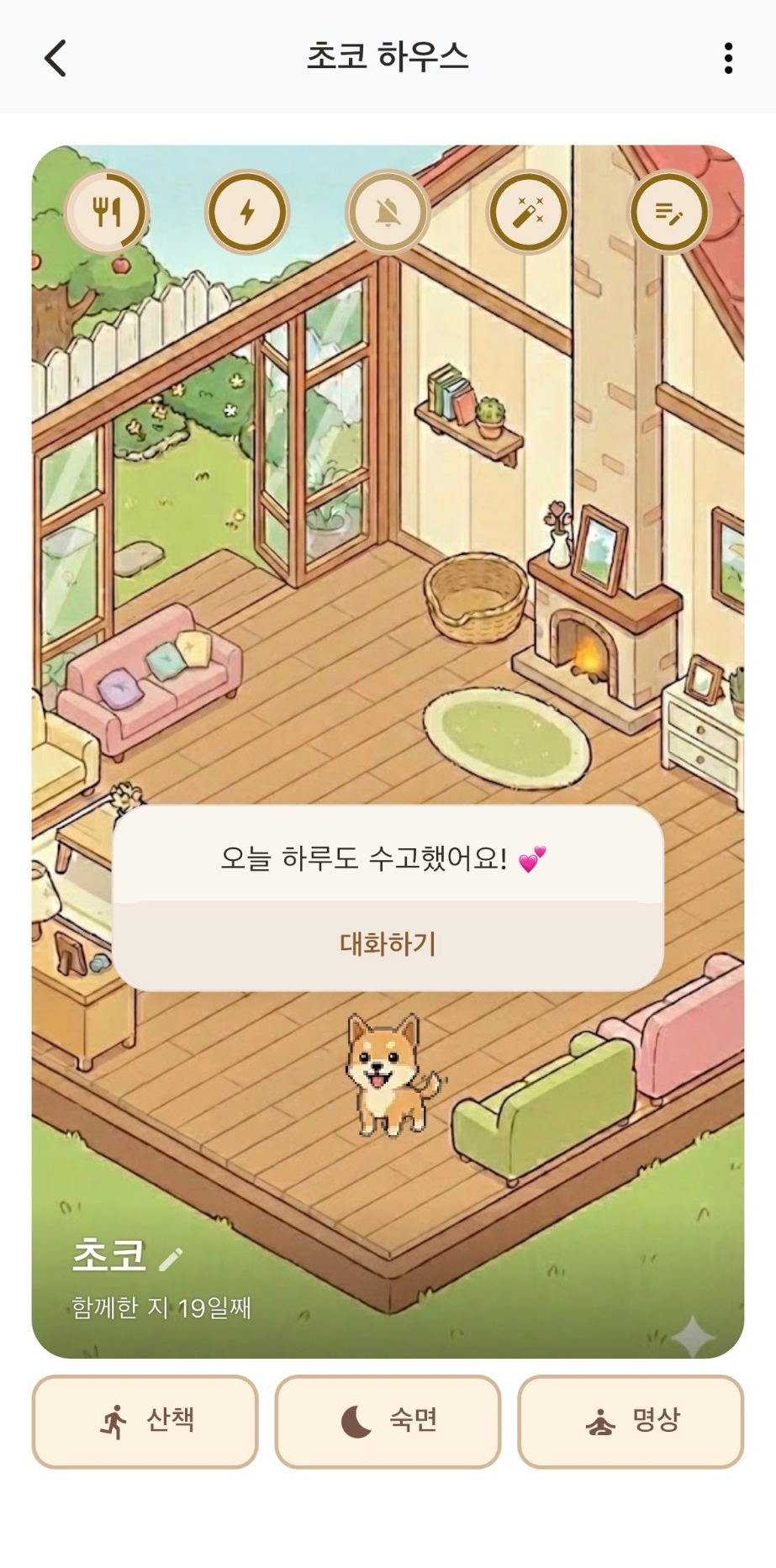
AI Pet
A companion that walks and chats with you
Local Community
Neighborhood news and activity sharing
Crews
Club and corporate crew challenges
Family & Friends Check-in
See each other's steps and send encouragement
AI Support
Instant answers to common questions
In-App Surveys
Pre- and post-challenge surveys with results