Running Challenge
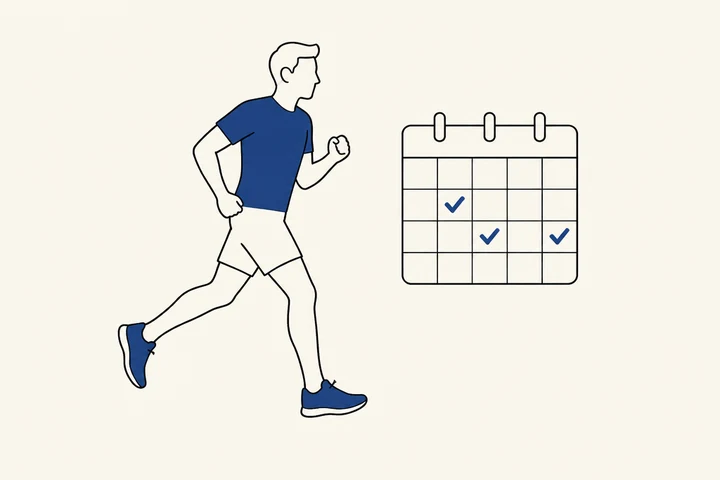
Turn consistent running into
a team challenge
The app logs distance, pace, and route for every run, and smartwatch data syncs automatically. Set a cumulative distance goal — such as 20 km in a month — or host a virtual race where everyone runs at the same time.
- 1 Your organization's challenge
- →2 Join
- →3 Run
- →4 Goal achieved · Prize

a Korean city
April 40 km Running Challenge

a Korean city
October 20 km Running Challenge
a Korean city
October 40 km Running Challenge
Example Programs
Featured Case Studies
a city public health center in Korea
Oral Health Running Challenge (June 9)
30 km cumulative
Participants 446
a city public health center in Korea
Oral Health Running Challenge (June 9)
- Participants
- 446
- Period
- Jun 1–30, 2026
- Goal
- 30 km cumulative
- Prize draw
- 50 winners
- 1Runs logged automatically in the app
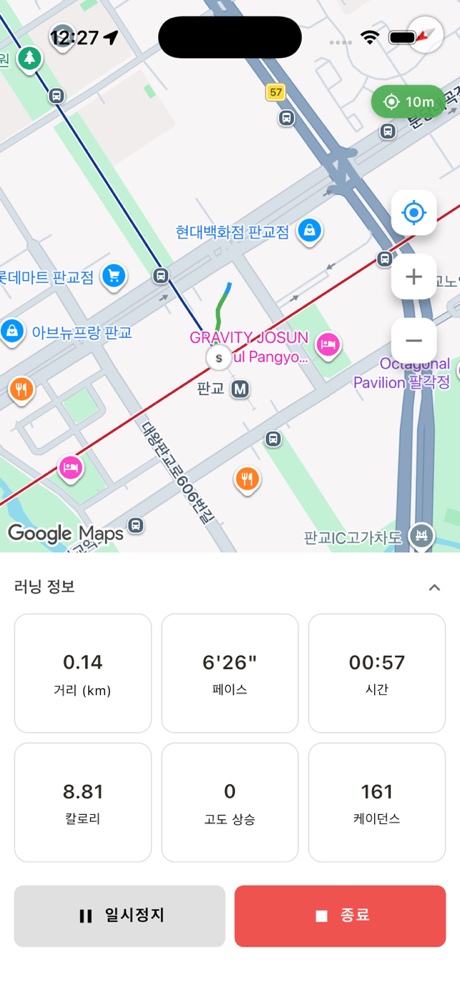
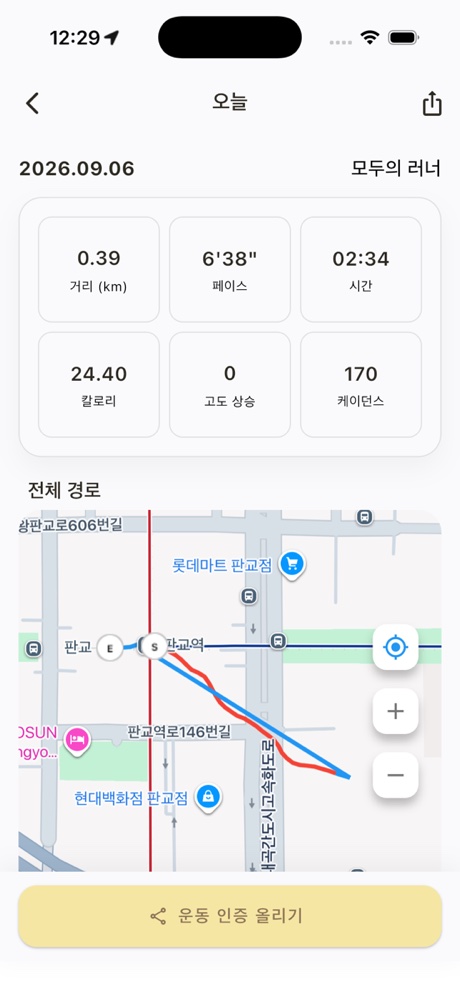
Start from the Run tab and the app records distance, pace, and route — all counting toward your goal.
- 230 km cumulative over one month
Participants can split their runs across the month however they like. The challenge was timed to raise awareness for Oral Health Day (June 9).
- 3Prize draw for 50 finishers
A KRW 5,000 mobile coupon was sent by text message on July 3 to 50 randomly selected participants who reached the goal.
A walking challenge ran alongside this one during the same period, giving participants the choice of walking or running. Tap the poster to see the actual challenge screen.
How It Works
How It Works
Choose between a cumulative challenge with a set period and target distance, or a virtual race where everyone runs at the same time.
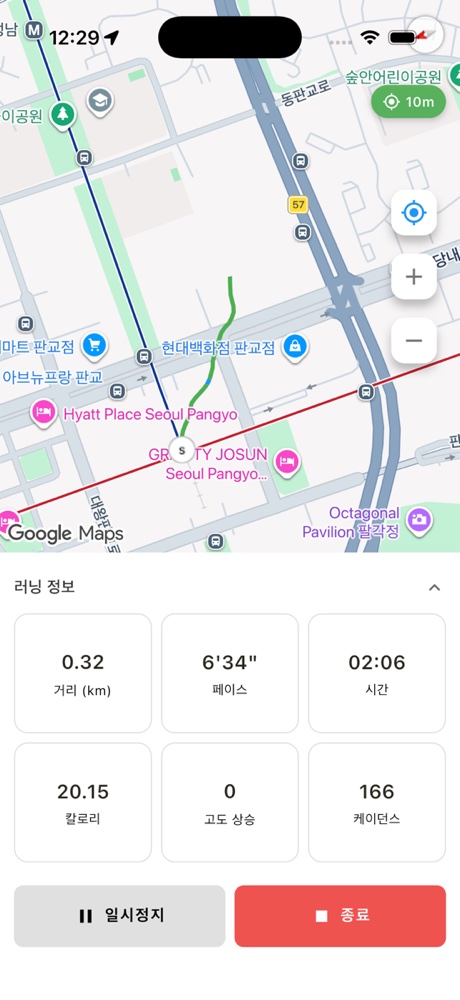
Individual distance goal
Run a set distance within the challenge period — finishers enter the prize draw.
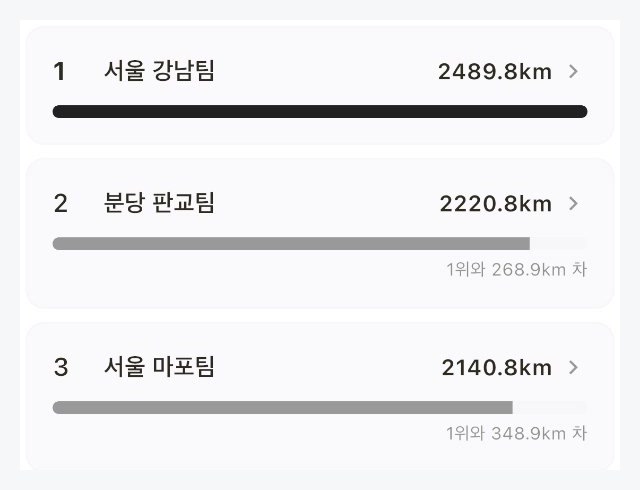
Team vs. team / shared distance
Rank teams by total distance, or pool everyone's kilometers into one shared goal.
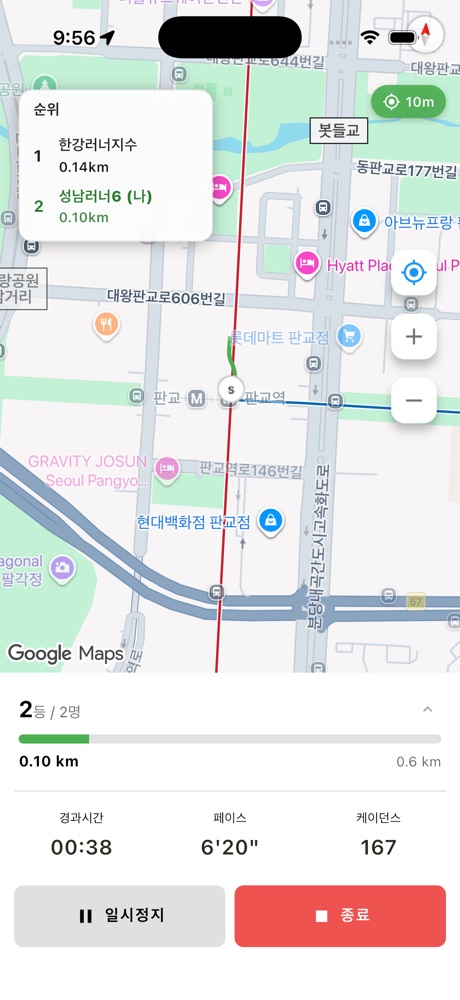
Virtual Race
Everyone starts at the same time from wherever they are and competes on a live leaderboard while running.
See virtual races ›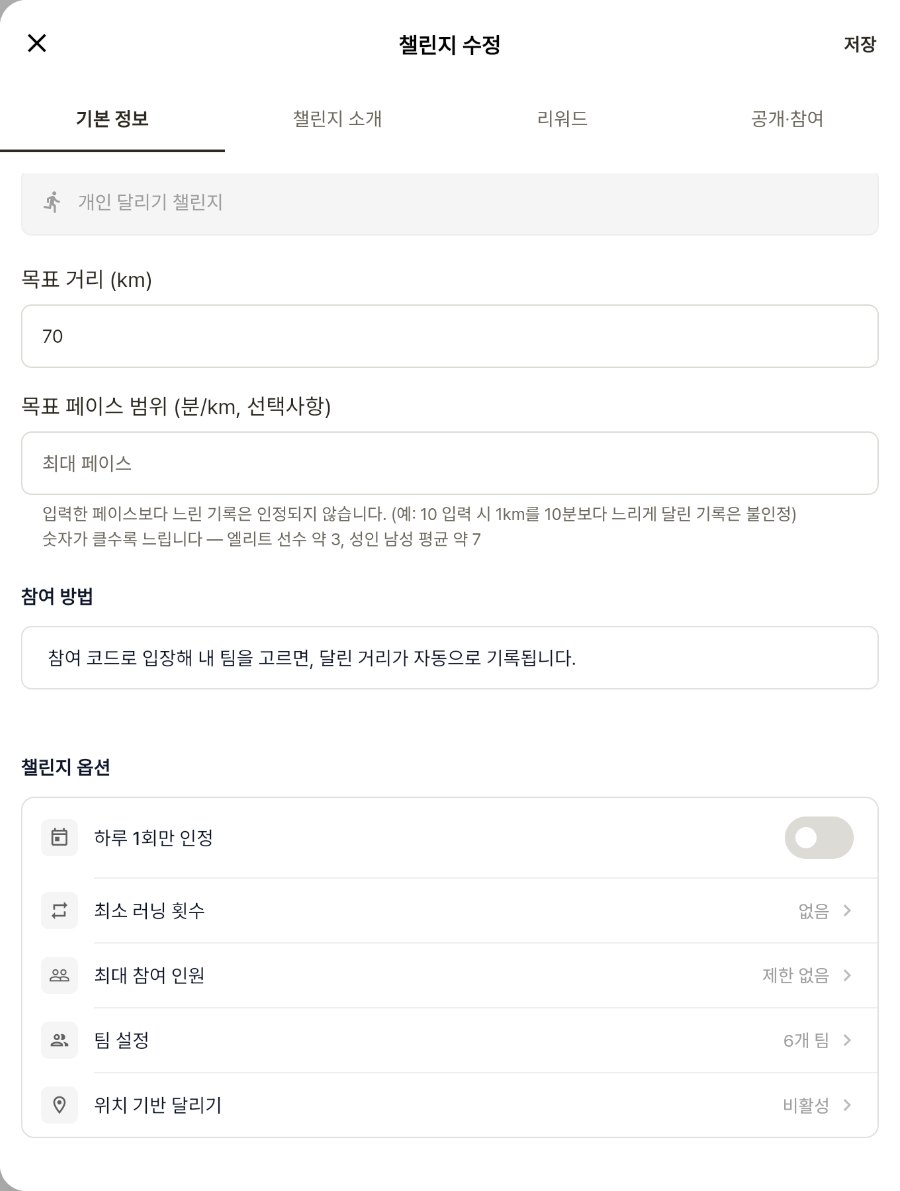
Recording rules
Choose from pace range, one log per day, minimum run count, and location-based running.
Participants
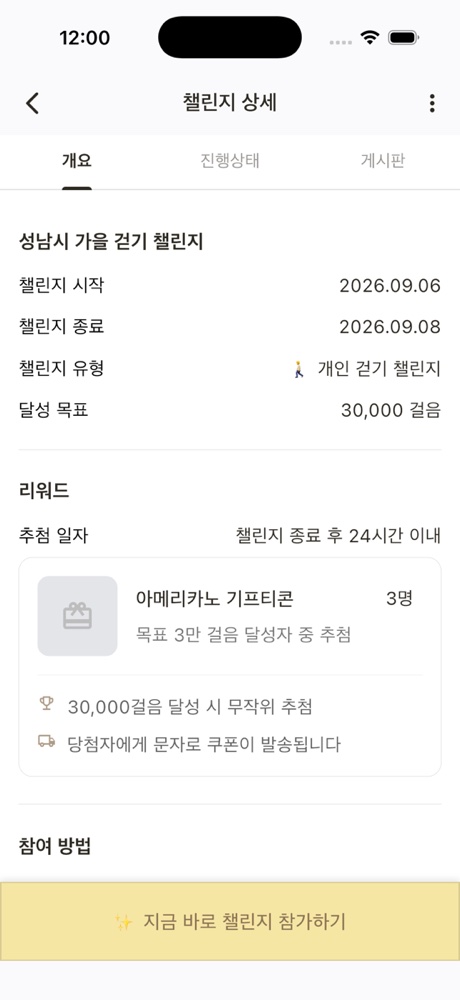
Participant Screens
Participants run with the AllRunner app. Smartwatch data synced to a health app can also be counted.
Prizes & Draws
Prize Draw
Choose a draw method for each prize. The organizer prepares the prizes and quantities.
Method 1
Random draw from finishers
When the challenge ends, draw winners from everyone who hit the goal — one click to draw, review the shortlist, then announce.
e.g. 50 winners drawn from 30 km finishers in the Oral Health Running Challenge
Method 2
First-come, first-served
Reward participants in the order they complete the goal, up to a set quantity.
Great for adding a competitive speed element
Method 3
Team draw
Draw winning teams from those that hit the goal — every member of each winning team receives the prize.
Perfect for department or crew competitions
Organizers
Organizer Dashboard
Set the target distance and recording rules, then draw winners with a single button when it's over.
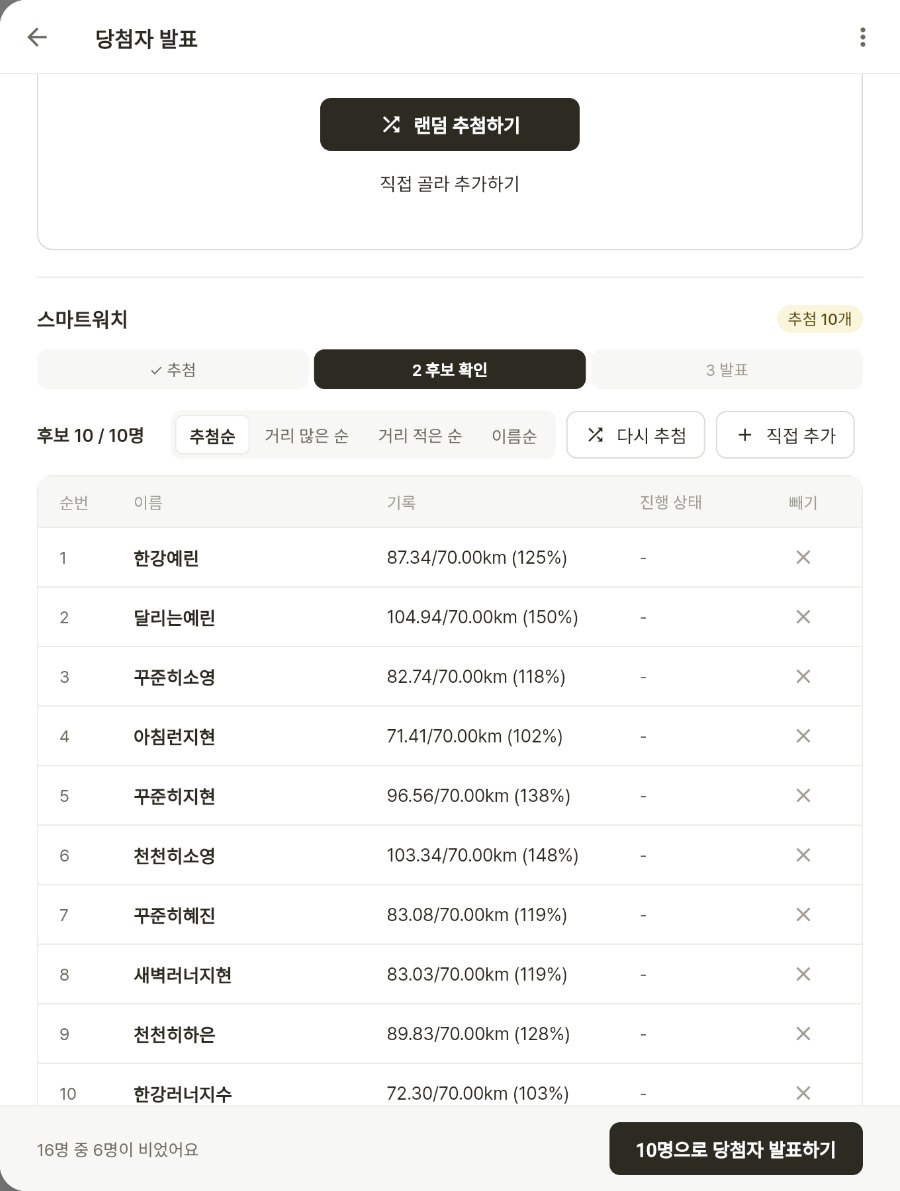
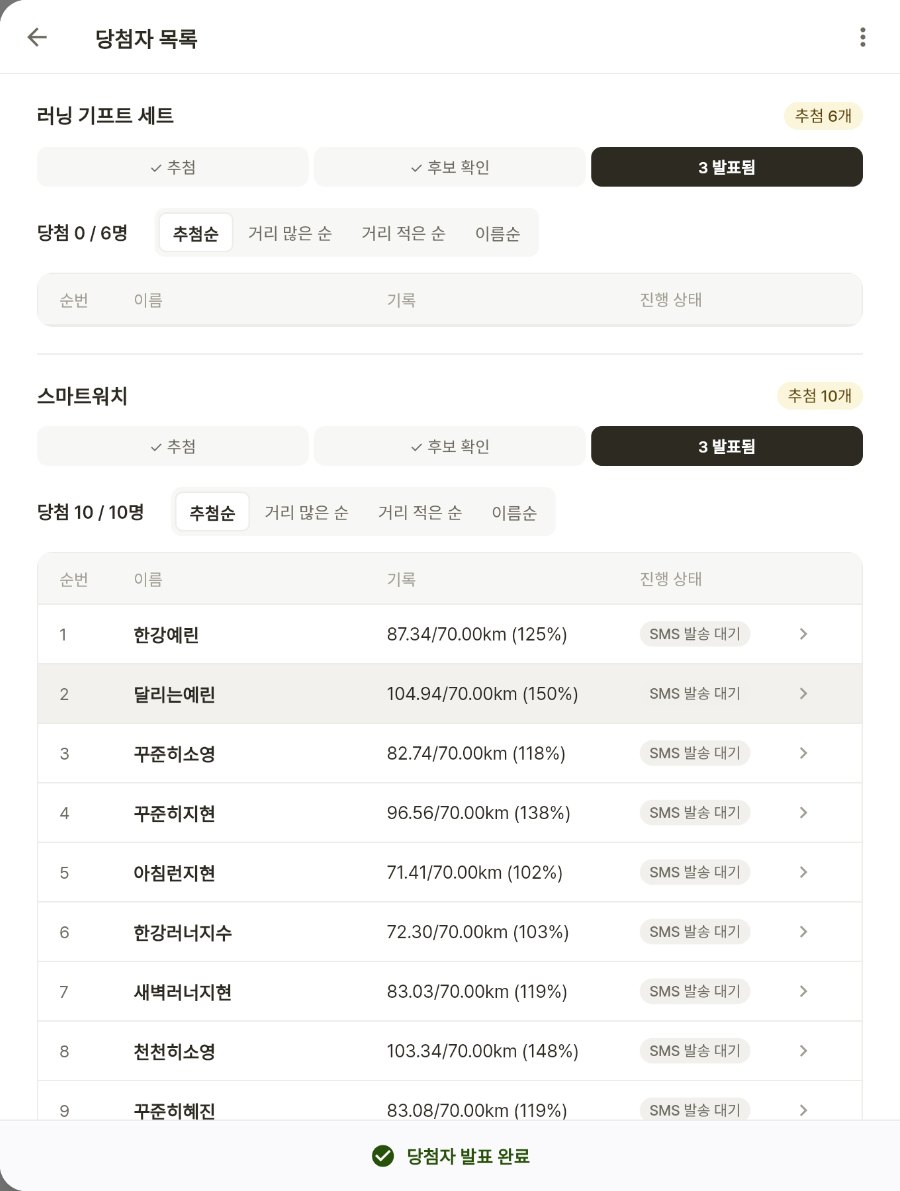
- ✓Monitor participation and completion in real time
- ✓Export results as a printable report or Excel file
- ✓Collect pre- and post-challenge surveys in the app
Use Cases
Use Cases by Organization Type
Monthly distance challenge
Set a recurring distance goal — 20 km or 40 km — and run it every month.
e.g. March 20 km Running Challenge — 512 participants
Health awareness campaign
Tie the challenge to a health awareness date and offer both walking and running options.
e.g. Oral Health Day / World No Tobacco Day running challenges
Health metrics campaign
Pair the running challenge with education on key health indicators such as blood pressure or blood sugar.
e.g. Know Your Numbers Running Challenge — 331 participants
Running clubs & crews
Let running crews host their own private challenges within the app.
e.g. Crew home, crew announcements, crew challenges
Corporate department league
Split employees into department teams and compete by total distance.
e.g. Team leaderboard / team prize draw
Course running
Only log runs completed on a defined start-to-finish course.
e.g. Location-based running
Case Studies
Running Challenge Case Studies
Real running challenges powered by AllRunner at public health centers and local governments in Korea.
a Korean city government
March 20 km Running Challenge
512 participants
a Korean city government
March 20 km Running Challenge
512 participantsParticipants
Mar 2026 · 20 km cumulative · pace within 9 min/km
View Challenge ›a city public health center in Korea
Oral Health Running Challenge (June 9)
446 participants
a city public health center in Korea
Oral Health Running Challenge (June 9)
446 participantsParticipants
Jun 2026 · 30 km cumulative · 50 winners drawn
View Challenge ›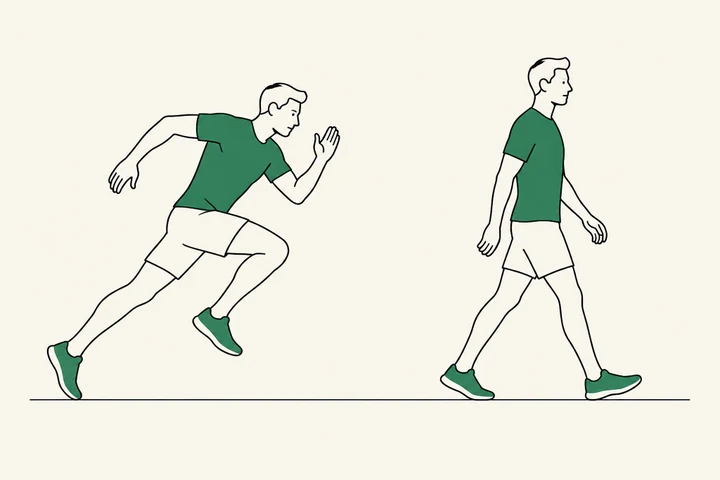
a city public health center in Korea
Know Your Numbers Running Challenge
331 participants
a city public health center in Korea
Know Your Numbers Running Challenge
331 participantsParticipants
Sep 2026 · 30 km cumulative · 50 winners drawn
View Challenge ›Participant figures reflect actual AllRunner challenge records (retrieved November 2026).
Onboarding Process
Onboarding Steps
Hyperity guides you through the initial setup.
- 1Consultation
We learn about your audience, timeline, budget, and prizes, then recommend the right format.
- 2Challenge Setup
Together we define goals, completion criteria, prizes, and participant-facing content.
- 3Promotion
Participants can join instantly by scanning the poster QR code, and the challenge is surfaced automatically in the app.
- 4Live Operations
Monitor participation and achievement in real time. We help with announcements and participant support.
- 5Draw & Report
Pick winners with one click and receive a full results report.
Hyperity
Samsung Electronics C-Lab Spin-off (2017)
We build and operate AllRunner in partnership with local governments and public health organizations.
7 live deployments · 5 pilot programs
Deployed across 7 Korean local governments
More Features
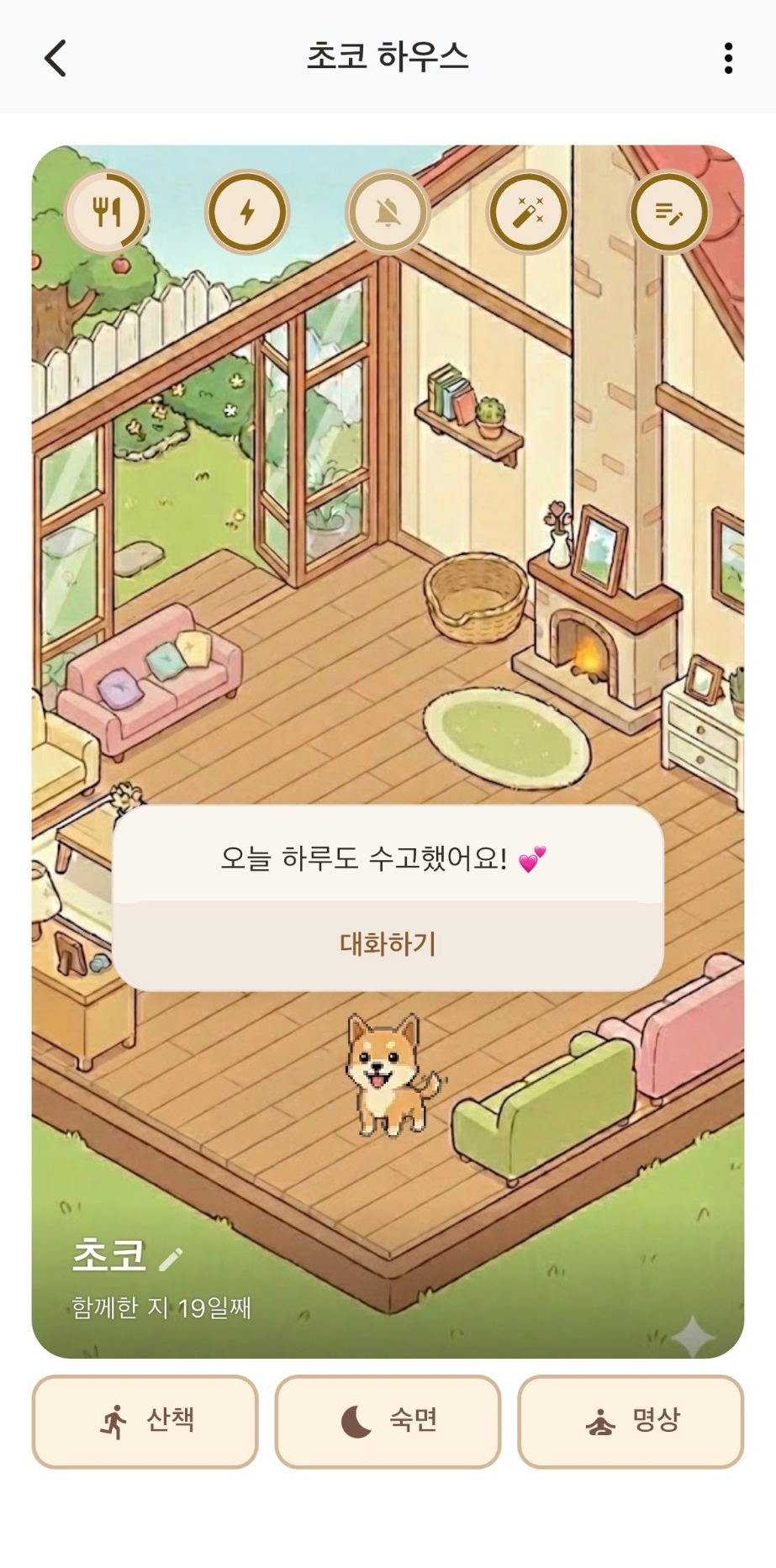
AI Pet
A companion that walks and chats with you
Local Community
Neighborhood news and activity sharing
Crews
Club and corporate crew challenges
Family & Friends Check-in
See each other's steps and send encouragement
AI Support
Instant answers to common questions
In-App Surveys
Pre- and post-challenge surveys with results